



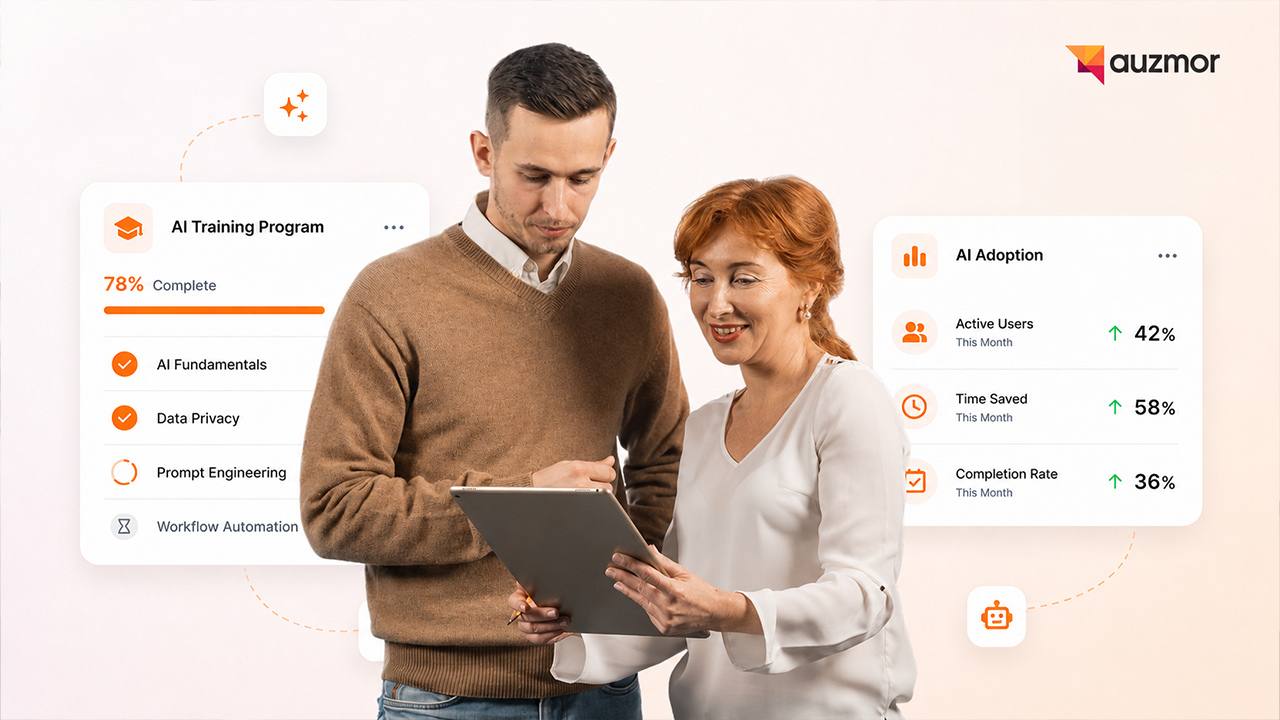
Artificial intelligence is completely changing how businesses operate day to day. Companies everywhere are purchasing licenses for writing assistants, data analyzers, and coding companions. Yet simply handing out login credentials does not constitute a valid training strategy. Employees often feel overwhelmed or hesitant to engage with new systems they do not fully understand.
Leaders need a structured approach to guide their teams effectively. A thoughtful training rollout ensures your software investment actually improves daily workflows instead of causing widespread frustration. Centralized learning platforms like Auzmor make it incredibly easy to organize these resources, assign the right courses, and track who might need extra help along the way. If you want your team to actually use the technology you pay for, you have to show them how to do it properly.
Why Employee AI Training Matters
You cannot expect people to change their work habits overnight just because a new tool is available. Training provides the necessary foundation for your team to succeed, and it matters for three very specific reasons.
First, people need to know how to use these tools safely and ethically. If employees experiment on their own without corporate guidelines, they might accidentally feed sensitive company data or customer information into public models. Proper education sets clear boundaries for what is acceptable and what is restricted. It turns a potential security risk into a controlled, safe environment.
Second, training creates equal opportunities across your entire workforce. You do not want a massive productivity gap forming between the tech enthusiasts and those who feel intimidated by new software. Structured learning ensures everyone has the exact same foundational knowledge to succeed in their roles. It turns an intimidating technology into an accessible daily helper for everyone on the payroll.
Finally, proper instruction prevents the dreaded "shadow IT" problem. When a company does not provide official training or approved tools, employees will simply find their own workarounds. They will use unauthorized free versions of software on their personal devices to get the job done faster. A strong internal training program keeps all work inside your approved, secure ecosystem.
Common Mistakes Companies Make When Introducing AI Tools
Organizations often stumble when rolling out new technology because they treat it like a simple software update rather than a fundamental shift in how work gets done.
The biggest mistake leadership teams make is relying on the "figure it out" method. A department head buys a new tool, sends out a company-wide email with a login link, and expects instant productivity gains. This approach almost always fails. Without context or specific use cases, employees will poke around the interface for five minutes and then immediately go back to their old ways of working.
Another frequent error is ignoring the emotional side of technological change. People naturally worry about their job security when they see a computer program doing their tasks faster. If leadership teams do not address this fear directly and honestly, employees will resist using the new technology out of self-preservation. Ignoring the human element dooms adoption before it even starts.
Many companies also make the mistake of relying entirely on generic video tutorials provided by the software vendor. Those videos show how the buttons work, but they do not explain how the tool applies to your company's specific daily workflows.
How to Build an AI Training Plan
A successful rollout requires patience, planning, and clear structure. You have to treat this exactly like you would treat onboarding a new hire.
Start with a comprehensive baseline assessment. Figure out what your teams actually need to learn right now. You have to understand current skill levels before introducing complex new concepts. Send out a brief survey asking employees how comfortable they are with basic generative technology and what parts of their job take up the most repetitive time.
Once you know where the knowledge gaps are, you can build a training roadmap that introduces topics gradually and logically. Start with basic literacy. Teach your staff what the technology actually is and how it functions behind the scenes. Make sure everyone understands concepts like hallucinations, bias, and data privacy.
Only after everyone passes the basics should you move into complex prompt engineering or workflow automation. Using an intuitive learning management system like Auzmor allows you to build these stepped programs and assign specific modules automatically based on an employee's progress. You can easily set prerequisites so nobody jumps ahead and gets confused.
Ways to Reduce Employee Hesitation and Fear
Honest communication is your absolute best strategy here. Tell your team directly that these systems are here to remove the tedious, repetitive parts of their jobs, not to replace the people doing them. Frame the software as a helpful intern or an incredibly fast assistant rather than a permanent replacement.
Show them real, practical examples that make their lives easier. If a weekly reporting task used to take three hours and now takes twenty minutes, demonstrate that exact process live on a screen share. When people see exactly how much easier their Friday afternoon can be, their resistance usually melts away very quickly.
You should also encourage leadership to share their own learning struggles openly. When a manager admits they took a few tries to get a good result from a prompt or that they felt confused at first, it makes the learning process feel much safer for everyone else. Celebrate small wins publicly. When an employee finds a new way to save time, highlight their discovery in the next team meeting.
How to Train Teams by Role or Department
Generic training content falls flat because it lacks relevance to daily tasks. You need to tailor the material to specific departments. A marketing professional needs entirely different skills than a software engineer or a human resources representative.
Marketing teams might need to learn how to brainstorm campaign ideas, write rough drafts for social media, or analyze customer sentiment from large sets of survey data. Their training should focus heavily on creative prompting and tone adjustments.
Human resources teams might focus on drafting standardized job descriptions or organizing onboarding documents safely without inputting confidential salary data into external tools. Their training needs to heavily emphasize privacy and compliance.
Sales teams can learn how to use predictive analytics to score leads faster or draft personalized outreach emails at scale. Their training should center around efficiency and customer relationship management integration.
Creating specialized, role-based learning paths helps you begin building an AI-ready learning ecosystem that naturally scales as your company introduces more advanced tools. People pay attention when the training directly solves a problem they face every single day.
How to Support Adoption After Training
Learning does not magically stop after a single afternoon workshop. These tools update and change rapidly. You have to create an environment where continuous learning is just part of the normal weekly routine.
Set up a dedicated Slack or Microsoft Teams channel where employees can share helpful prompts they discovered or ask for help when they get stuck. Make this a low-pressure zone where there are no stupid questions.
Designate a few enthusiastic early adopters as champions in each department. These champions can act as peer mentors, answering quick questions and helping colleagues figure things out without needing to file a formal IT ticket.
Regular monthly check-ins or short "lunch and learn" sessions also help keep the momentum going long after the initial rollout. Bring the team together for twenty minutes to show off a new feature or highlight a creative way someone used the software that month.
How to Measure Whether Training is Working
Tracking workshop attendance is just the starting point. You really want to see if employee behavior is actually changing on the floor.
Look at the active daily or weekly usage rates of the software licenses you purchased. If login rates drop significantly after two weeks, your training did not stick and people are reverting to their old habits. High initial usage followed by a steep drop usually means the tool was too confusing or did not actually solve a real problem for them.
Ask employees for feedback through quick, anonymous surveys. Find out if the tools are actually saving them time or just creating new frustrations. It is highly important to measure LMS success beyond completion rates so you can see the true return on your investment.
Look for qualitative signs of increased efficiency, higher quality output, and reduced burnout among your staff. If your customer support team is resolving tickets faster with less stress, or your marketing team is testing twice as many campaigns in the same amount of time, your training program is a success.
Conclusion
Training your workforce on new technology takes genuine patience, clear communication, and strategic planning. The ultimate goal is to build employee confidence right alongside technical competence. When people feel supported and clearly understand the corporate boundaries, they will naturally find incredibly creative ways to work smarter and faster.
Throwing software at your team and hoping for the best is a waste of money. Equipping your team with the right knowledge ensures your business stays competitive in a rapidly shifting market. If you want a seamless, organized way to deliver and track all this education, Auzmor provides the exact structure you need to make continuous workplace learning a reality. A strong learning platform turns a chaotic software rollout into a smooth, measurable success.